Windows Update Restored V3.1

Make sure to read all the information provided on this page about Windows Update Restored V3.1 before using it!
 

Check For Updates

Want to install updates on your Windows 95, Windows NT 4.0, Windows 98 First Edition, Windows 98 Second Edition, Windows Me or Windows 2000 system using Windows Update Restored V3.1? Then click the "Try Windows Update Restored V3.1!" button below to check for updates on the website!

Try Windows Update Restored V3.1!

The History of the Website

Windows Update V3.1 looks like more of an upgrade from V3.1/V3.0, but with a new logo and some minor other differences. Compatible with Microsoft Internet Explorer 5.0/5.5/6.0, version 3.1 of Windows Update is the last version of the service to support Windows 95 and Windows NT 4.0. Newer Windows Update websites will require at least Windows 98 First Edition, and later on, Windows 2000 with Service Pack 3.

Screenshots Gallery

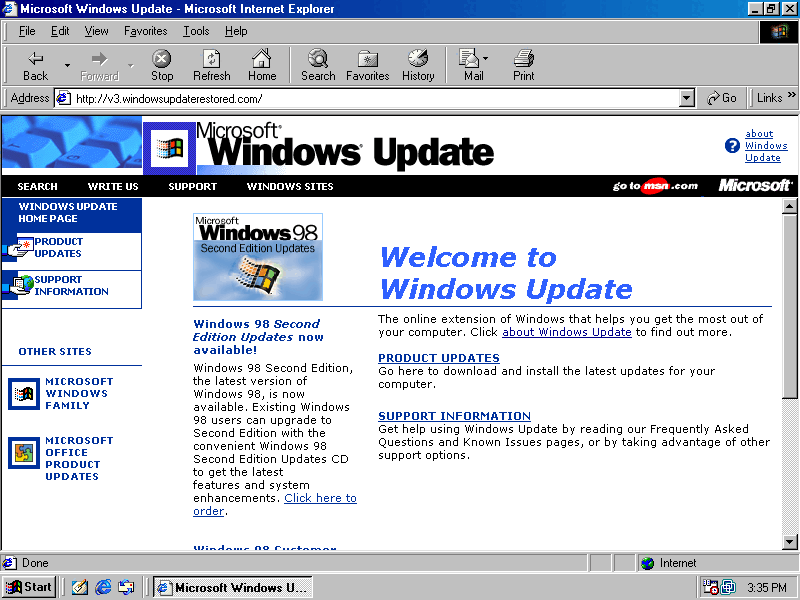
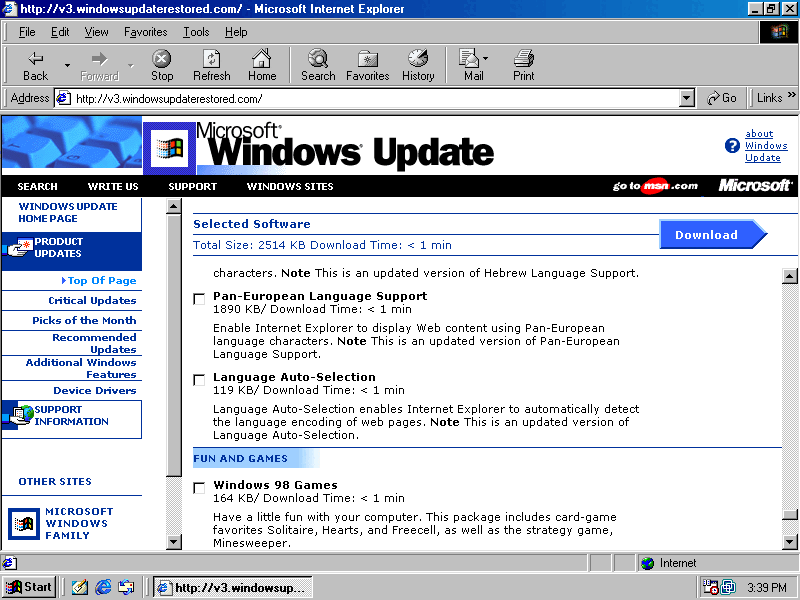
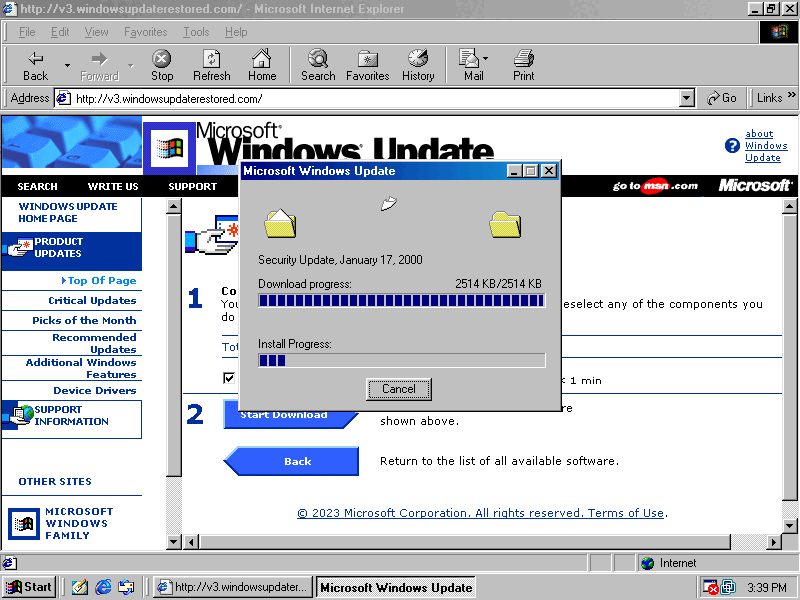
Here are a few screenshots featuring Windows Update Restored V3.1 (English):

Windows Update Restored V3.1 - Homepage (click to open the picture in full size) Windows Update Restored V3.1 - Product Updates Catalog (click to open the picture in full size) Windows Update Restored V3.1 - Download Basket (click to open the picture in full size)
 

Known Issues

Windows Update Restored V3.1 terribly lacks inventories, making lots of languages throwing the "Cannot Display Page" error. If you think you have the necessary inventories (not updates) for your language, please let us know!
Those inventories are located in
C:\Program Files\WindowsUpdate.
 

Operating Systems

Windows Update Restored V3.1 is currently compatible with the following operating systems:

  • Microsoft Windows 95
  • Microsoft Windows NT 4.0
  • Microsoft Windows 98 First Edition with Internet Explorer 5.0/5.5/6.0
  • Microsoft Windows 98 Second Edition
  • Microsoft Windows Millennium Edition
  • Microsoft Windows 2000 (up to Service Pack 2)


Languages

Windows Update Restored V3.1 currently supports the following languages:

  • English
  • French
  • German
  • Traditional Chinese
  • Simplified Chinese
  • Polish
  • Italian
  • Some more languages.

Please bare in mind that, as we're missing inventories, not all Internet Explorer versions/language configurations will give you results.
Inventories are located in C:\Program Files\WindowsUpdate. If you think you have the right files, please let us know!